
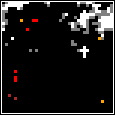
 This is the third part of my game design series. In part one I gave an overview of the game and in part two I described the map generation algorithm. This post describes the AI used in the game and how a combination of simple rules play off each other and combine to create useful and engaging simulation.
Read More →
Extraction: AI and behaviour
Extraction: Map generation
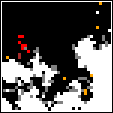 This is the second post in my game design series. Last time I gave an overview of the game and its goals. Making the framework and playing with the AI were the main objectives, but first we’ll take a quick detour into the map generation system.
Read More →
Making a game for fun and… that’s it
About a year ago I found myself with a couple of weeks worth of evenings free, so I decided to sit down and have a crack at making a game. Not because I had an amazing idea for a story or some mechanics, just to see if I could. A few hours a night for two weeks was enough to make some decent progress on the skeleton of the game, and one day I hope to go back and finish it off, at least to the point where my initial plans are all implemented.
This is the first in a series of posts describing the game (working-and-definitely-not-final title: Extraction), what I’ve done so far, and where I plan to go next, with a focus on the parts I personally found most interesting.
Detecting if another instance of an application is already running
Back in Alpha 1.3 of Picsie, one of the features I added was to have the windows position differently depending on if there were already Picise instances loading. This isn’t as simple as it sounds, and I ended up prostrating myself at the feet of Stack Overflow, begging for wisdom.
Here’s what I learned.
Perforce Woes
Quick tip from a Perforce newbie…
Sometimes, for whatever reason, Perforce might miss updates – additions, deletions or edits – and they simply won’t appear in any change-lists. The changes show up in a diff, but good luck trying to commit the changes.
The solution: right click on the file/folder in the workspace browser and select Reconcile Offline Work. A warning though – this diffs every single file in your selection, so an entire project or workspace may take several coffees.
Inevitable Picsie
Alpha 1.9: Since it’s been a while, have a quick Picsie update – images now show tooltips when you hover over them.
Available, as always, from the main Picsie page
Picsie bug fix
I just noticed that animated GIFs aren’t being released when you move on to another image. Fixed now.
Alpha 1.8 (30 November 2010)
- Installer (~75KB). This will set up your file associations for you.
- Standalone .exe (~200KB). Use this if you already have Picsie installed and you just want the latest version. Just drop it over the existing one.
Changelog
- Now properly releases animated GIFs when you switch to a different image.
For a full changelog, see the main Picsie page.
Quick Picsie update
Picsie how has a taskbar icon in Windows 7, to take advantage of the shiny new taskbar system.
Alpha 1.7 (18 November 2010)
- Installer (~75KB). This will set up your file associations for you.
- Standalone .exe (~200KB). Use this if you already have Picsie installed and you just want the latest version. Just drop it over the existing one.
Changelog
- Has a taskbar icon in Windows 7
For a full changelog, see the main Picsie page.
Picsie: Now with less broken zooming
Well, that was a bit embarrassing… All that effort to pre-compute a decent zoom level for images when you load them, and then completely ignoring it. Oops, fixed now.
Alpha 1.6 (13 October 2010)
- Installer (~75KB). This will set up your file associations for you.
- Standalone .exe (~200KB). Use this if you already have Picsie installed and you just want the latest version. Just drop it over the existing one.
Changelog
- Fix: Sets the zoom level properly when you load an image
- Fix: Now consistently applies the minimum zoom level
For a full changelog, see the main Picsie page.
Picsie Update
Nice little update to Picsie for you.
Alpha 1.5 (26 September 2010)
- Installer (~75KB). This will set up your file associations for you.
- Standalone .exe (~200KB). Use this if you already have Picsie installed and you just want the latest version. Just drop it over the existing one.